
When committing changes in GitHub, it’s important to include a clear and informative commit message. A well-written message helps not only to document the changes for my own reference but also to facilitate collaboration within the team. This raises the question: how should a good commit message be written? Based on my research, here are some key insights.
Best practices
A good commit message should be short, clear, and informative. Ideally, it follows a consistent structure so everyone in the team—or even future you—can easily understand what each commit does.
One widely adopted convention is the Conventional Commits format. It looks like this:
<type>: <short summary>

<optional detailed explanation>
Common type values include:
- feat: a new feature
- fix: a bug fix
- docs: documentation changes
- style: formatting, missing semi colons, etc.
- refactor: code change that neither fixes a bug nor adds a feature
- test: adding or fixing tests
Examples:
feat: add weather forecast display on main page
fix: correct bug when temperature data is null
docs: update README with deployment instructions
Use the imperative mood (e.g., “add” instead of “added” or “adds”) to describe what the commit does, not what was done.
Keep the summary line under 50 characters if possible, and optionally include a body section for more context, especially for complex changes.
Associate with GitHub Projects
GitHub Projects enables visual tracking of progress using boards and cards. Commits can be connected to these cards by referencing related issues or pull requests.
Linking Issues / Pull Requests
Issues or pull requests can be referenced in commits or PR descriptions using keywords such as:- Closes #issue-number
- Fixes #issue-number
- Resolves #issue-number
When the commit is pushed to the default branch, the referenced issue will automatically close. If the issue belongs to a GitHub Project with automation enabled, the associated project card will move to the “Done” column.
fix: resolve hourly forecast display issue

Closes #42
GitHub Projects Related
Commits, PRs, or issues referencing an issue number will automatically link to their project cards and can trigger card movements based on configured automation rules.- Automatic Card Association
Commits, PRs, or issues referencing #issue-number are linked to their corresponding project cards. - Moving Cards
Project cards can move automatically between columns according to automation rules set in the GitHub Projects settings. These rules can trigger based on labels, PR states, or commits. - Manually Linking Cards
PRs or commits can be manually linked to project cards by referencing the card ID (e.g., project#card-id) in PR descriptions or commit messages.
- Automatic Card Association
GitHub Actions Integration
GitHub Actions workflows can automate project management tasks, including:- Moving project cards to “Done” when a PR is merged
- Moving cards based on label changes
- Triggering workflows from commit messages to update project status
Implementation
In the Weather Project, I adopted these commit practices and integrated them directly into the development process. Every significant change is now accompanied by a structured, meaningful commit message that documents not just what changed, but why it was necessary. This has made the commit history far more readable and useful as a timeline of project decisions.
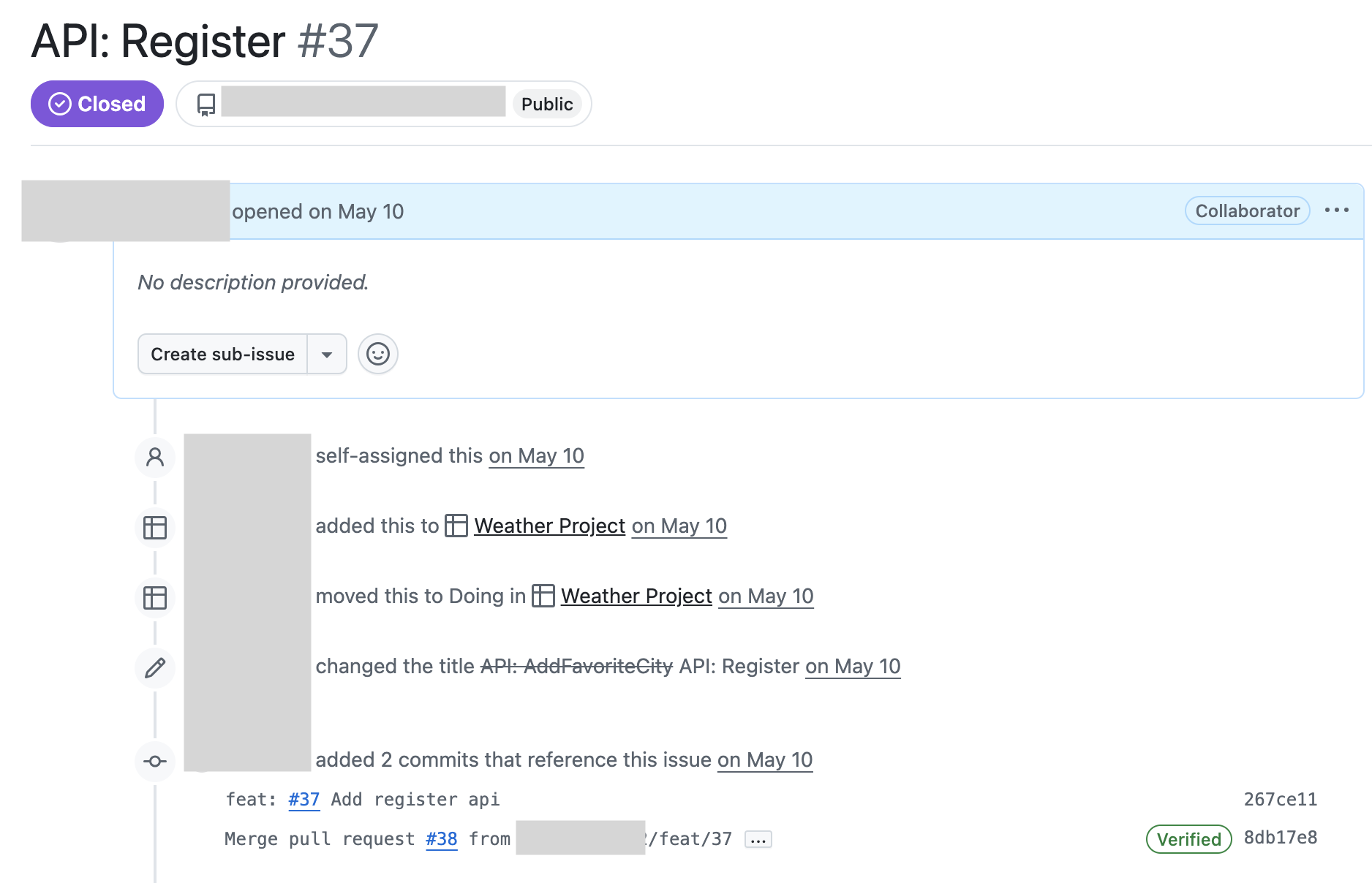
I also set up automation in GitHub Projects so that when an issue is closed—whether by merging a pull request or completing a task—its corresponding card automatically moves from “To do” to “Done.” This removed the need for manual updates and brought instant visibility into the state of the project. As a result, the board always reflects the actual progress of the work, and nothing slips through the cracks.
This workflow has made tracking features, bugs, and enhancements much more efficient. It feels less like managing tasks and more like letting the system work for the project—not the other way around.
Some findings and thoughts
- Writing clear, structured commit messages takes only a bit more time but adds long-term value for both solo work and collaboration.
- Integrating commits with GitHub Projects makes task tracking feel seamless and eliminates redundant status updates.