In our Weather project, we deployed our application to EC2, RDS, and S3. However, using a virtual machine is not a modern way to deploy a website today. Here is my study on Docker, and I hope to apply it in a future project.
About virtualization
Virtualization has been a foundational technology in the IT world for decades. Its roots can be traced back to the 1960s when IBM introduced the concept of virtual machines (VMs) with its CP-40 system. However, it wasn’t until the early 2000s that virtualization gained mainstream popularity, largely due to the rise of x86 servers and companies like VMware.
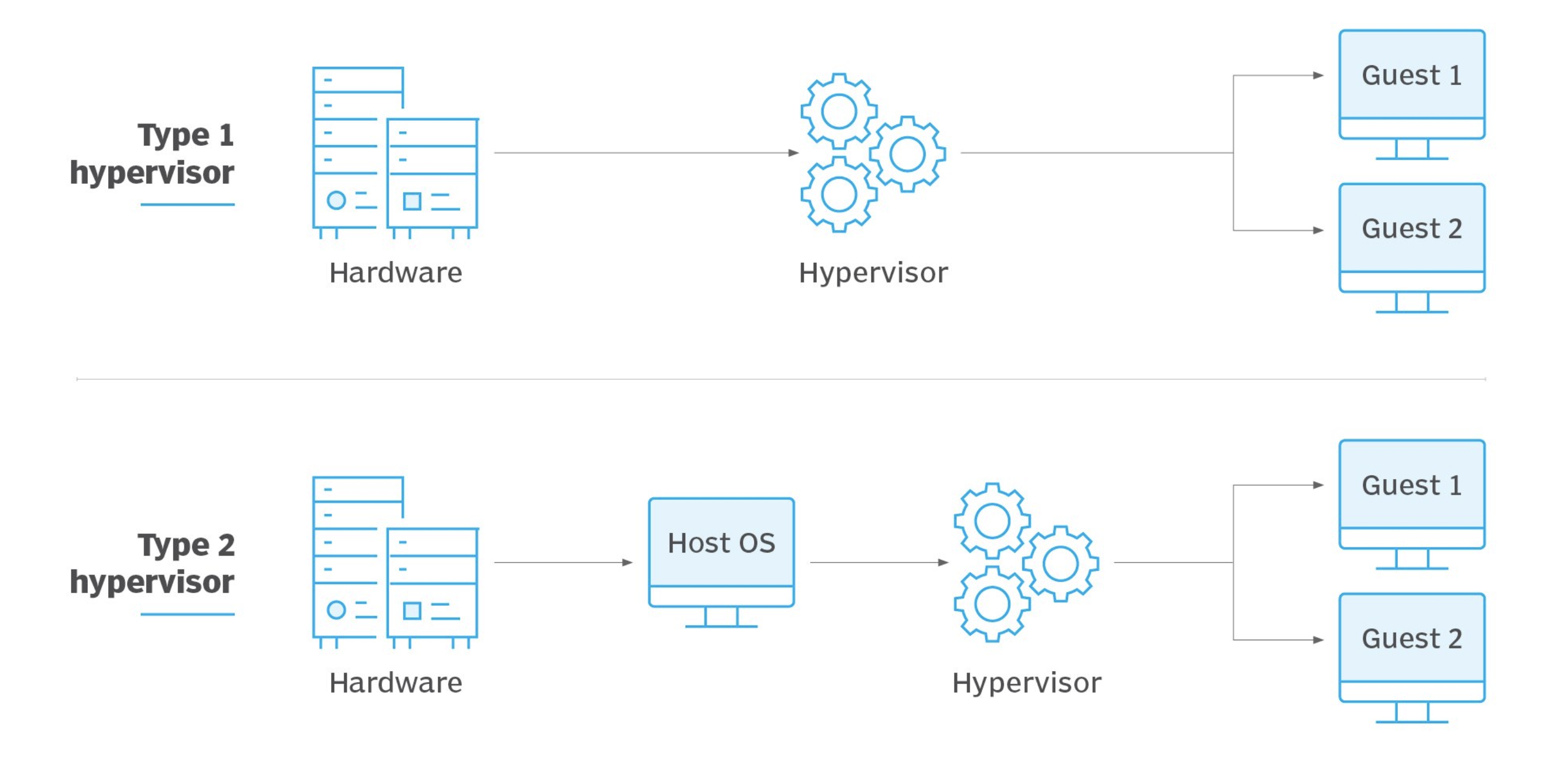
Traditional virtualization allows multiple operating systems to run on a single physical server by using a hypervisor (such as VMware ESXi or Microsoft Hyper-V) to allocate resources. This significantly improved hardware utilization, lowered costs, and provided flexibility in managing applications.
Over the years, virtualization evolved from bare-metal hypervisors to hosted solutions and, more recently, to container-based approaches. While VMs offer strong isolation, they also come with overhead due to their full OS stack. This led to the next stage in the evolution: containerization—offering lighter, faster, and more efficient alternatives to traditional VMs.
How Docker works
Before Docker, developers used tools like LXC (Linux Containers) to isolate applications in lightweight environments. Docker was introduced in 2013 by Solomon Hykes as an internal project at dotCloud (a PaaS company). It quickly gained attention because it abstracted the complexity of containers, making them accessible and easy to use.
Docker solves key problems in software development, such as “It works on my machine” issues, by packaging applications with all their dependencies into isolated units called containers. This ensures consistent behavior across development, testing, and production environments.
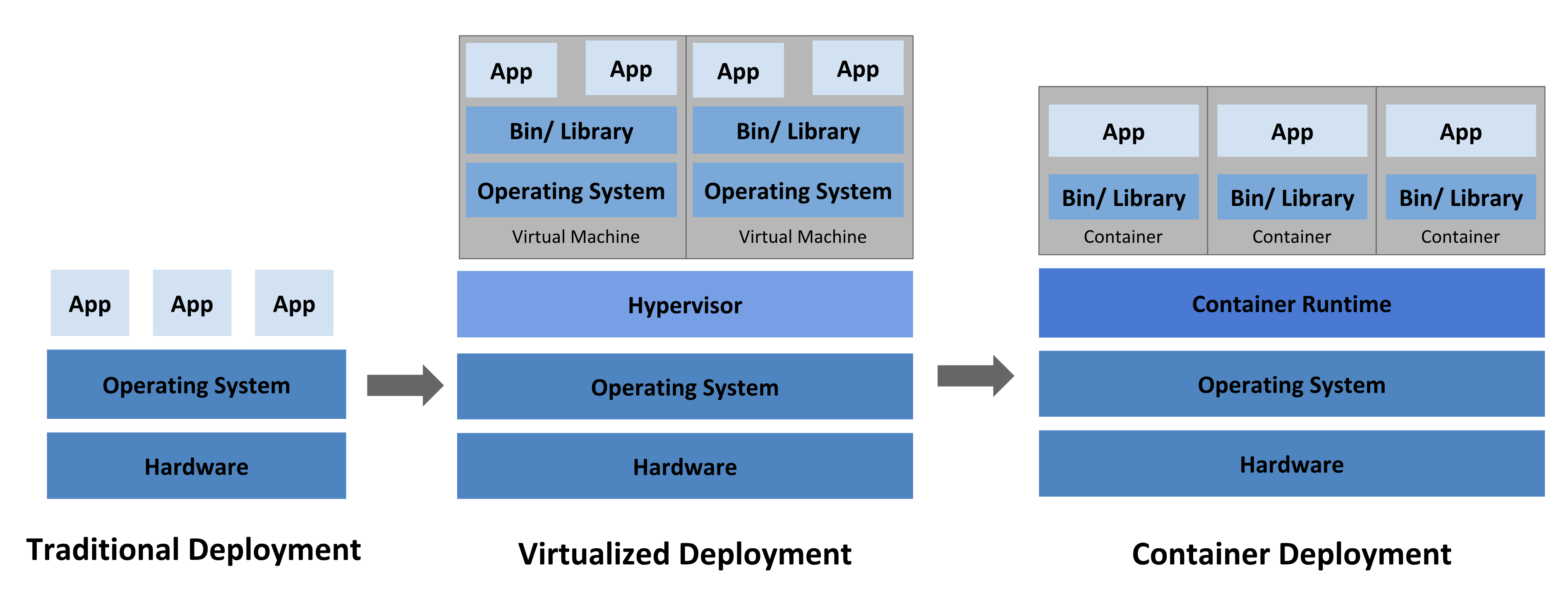
Compared to traditional virtualization, Docker containers are lightweight, start faster, and use fewer resources since they share the host operating system’s kernel. This makes Docker ideal for microservices, CI/CD pipelines, and cloud-native applications.Key Benefits of Docker:
- Fast startup and shutdown times — containers launch in seconds.
- Portability — run the same container on any system that supports Docker.
- Isolation — each container has its own environment, reducing conflicts.
- Version control — Docker images are versioned, allowing easy rollbacks and updates.
- Simplified deployment — consistent environments from development to production.
- DevOps-friendly — integrates well with CI/CD pipelines and infrastructure as code.
- Efficient resource usage — containers share the OS kernel, leading to lower overhead than virtual machines.
Docker represents a significant leap in operational efficiency and developer productivity by standardizing how applications are built, shipped, and run.
Docker architecture
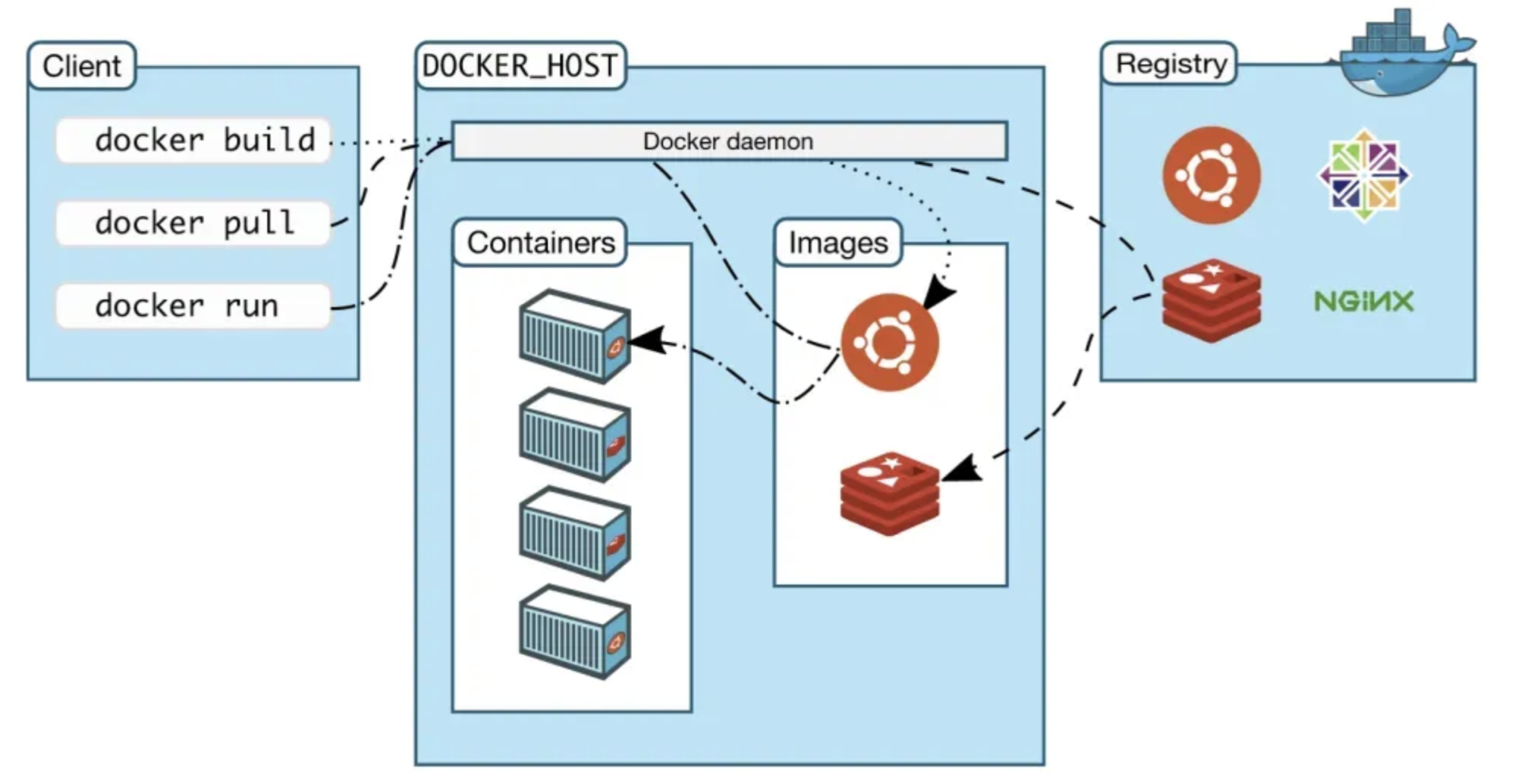
Docker is built around a simple but powerful architecture that includes several core components:
- Dockerfile: A script containing instructions to build a Docker image. It defines the base image, environment variables, dependencies, and commands.
- Docker Image: A read-only template created from a Dockerfile. It includes the application code, runtime, libraries, and configurations.
- Docker Container: A running instance of a Docker image. Containers are isolated, lightweight, and ephemeral.
- Docker Engine: The runtime that builds and runs containers. It has a client-server architecture where the Docker CLI communicates with the Docker daemon.
- Docker Hub: A public registry where images can be stored, shared, and pulled.
Here’s a simple diagram of the Docker architecture:
Dockerfile → Docker Image → Docker Container
               ↑
            Docker Build
This modular architecture makes it easy to automate, version control, and distribute applications.
Docker orchestration system
While Docker excels at managing single containers, running multiple containers across different machines introduces new challenges: service discovery, scaling, fault tolerance, and load balancing. That’s why container orchestration is essential in modern deployments.
Two main orchestration tools are:
- Docker Swarm: Docker’s native clustering tool. It’s easy to use and integrates seamlessly with Docker CLI. Swarm handles scheduling, load balancing, and service discovery with minimal setup. However, it’s less feature-rich than Kubernetes and has declined in popularity.
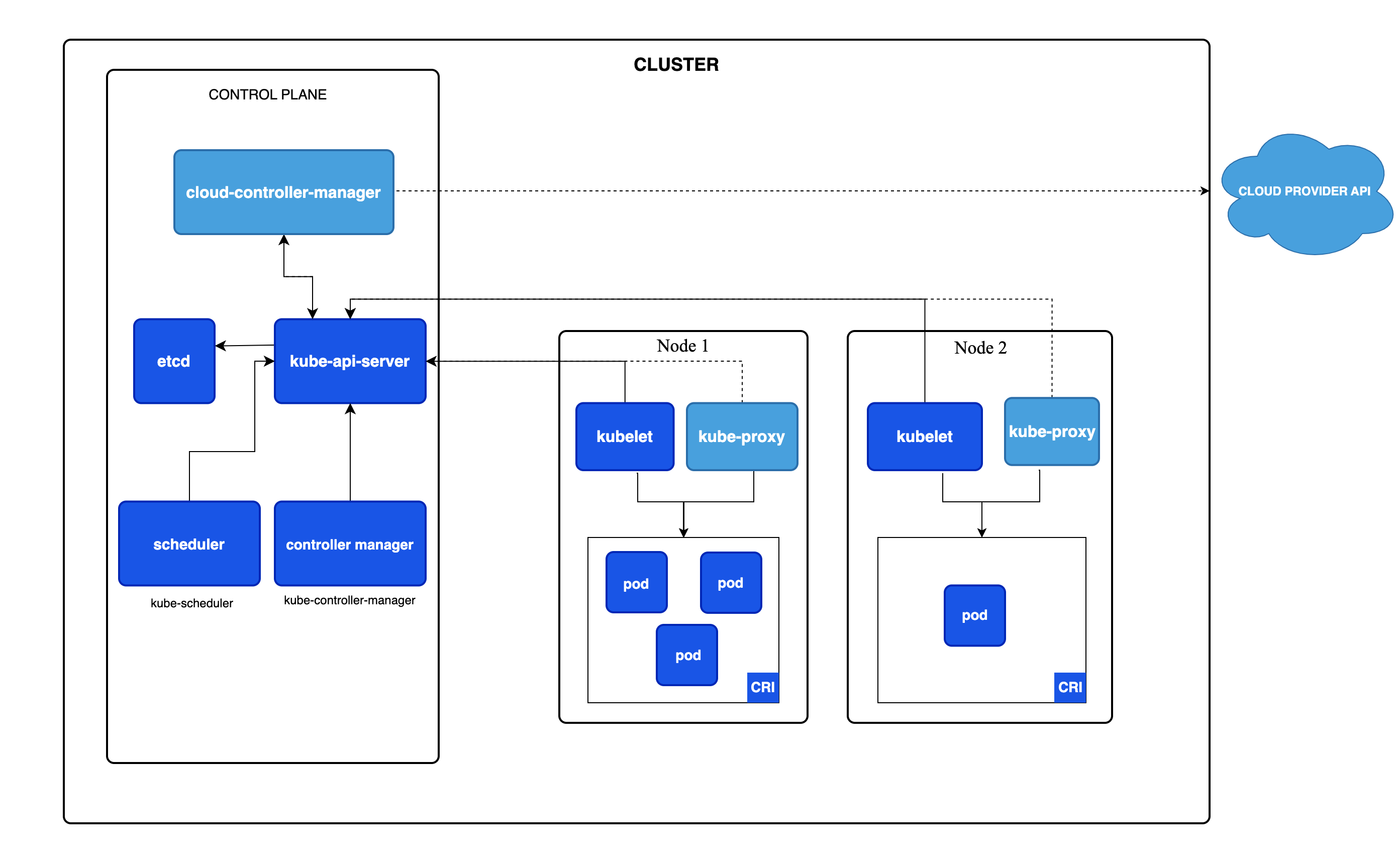
- Kubernetes (K8s): Originally developed by Google and now maintained by the Cloud Native Computing Foundation (CNCF), Kubernetes is the industry-standard orchestration platform. It manages containerized applications at scale with features like automatic scaling, self-healing, rolling updates, and declarative configuration.
Orchestration systems are critical when moving to production environments where applications span multiple containers and nodes. They ensure reliability, uptime, and scalability—things a single Docker engine cannot handle alone.
Some findings and thoughts
- Docker makes it easier to maintain consistent environments across development, testing, and production.
- It speeds up the development process by simplifying setup and deployment.
- Using Docker could improve scalability and reduce environment-related issues.